
Owner area
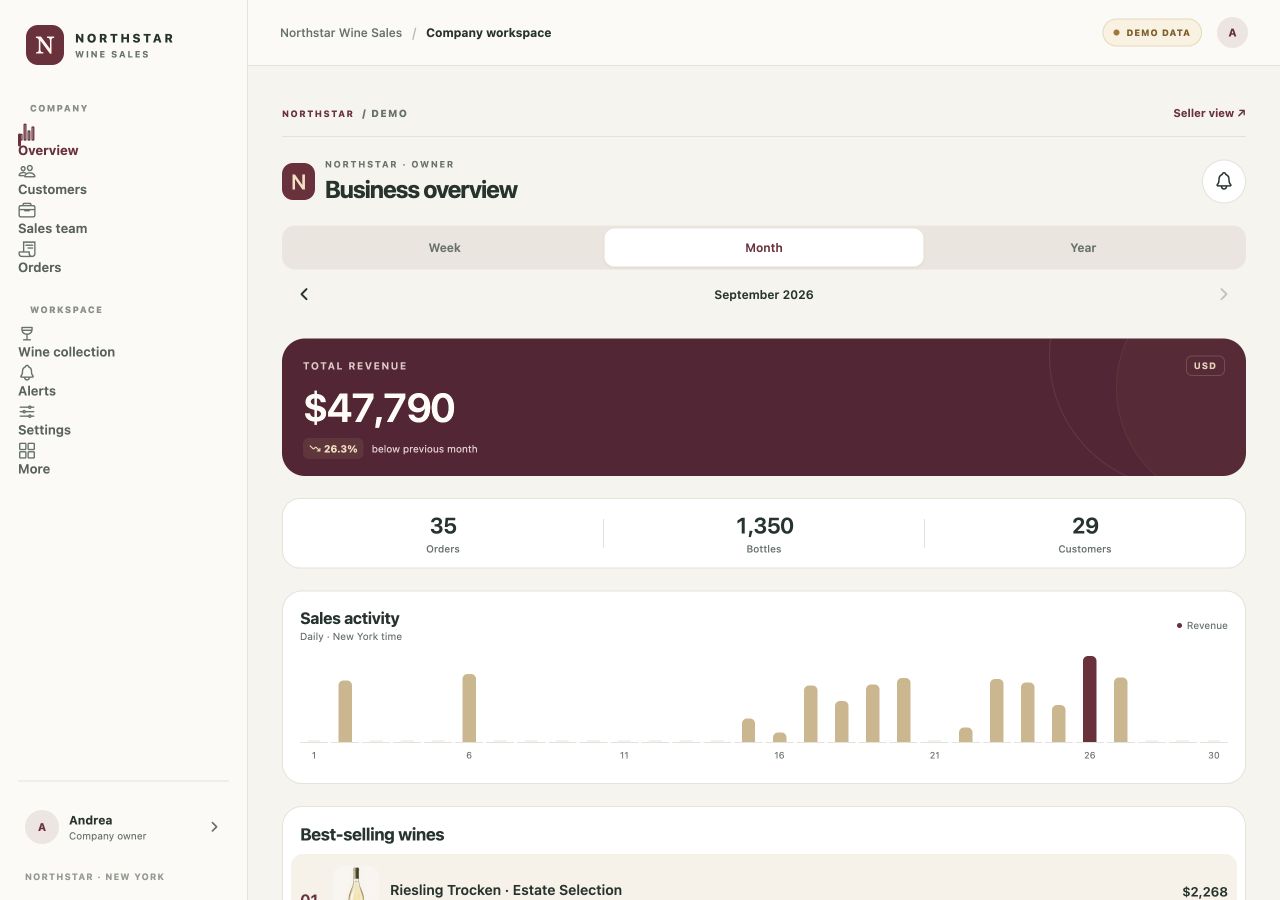
An overview of sales, customers, orders, and the sales team.
APP · NORTHSTAR WINE SALES
Northstar Wine Sales is an app for managing wine sales. The demo has two areas: one for the owner and one for the sales representative, each with its own workflow for managing activity and customer relationships.
Colors, imagery and journey ↓ View demo in EnglishEnglish-language web demo · Opens in a new tab, with a phone-sized view on desktop.
You can switch between the owner and sales representative areas.
The same business, with different information and tools for each role.
An overview of sales, customers, orders, and the sales team.
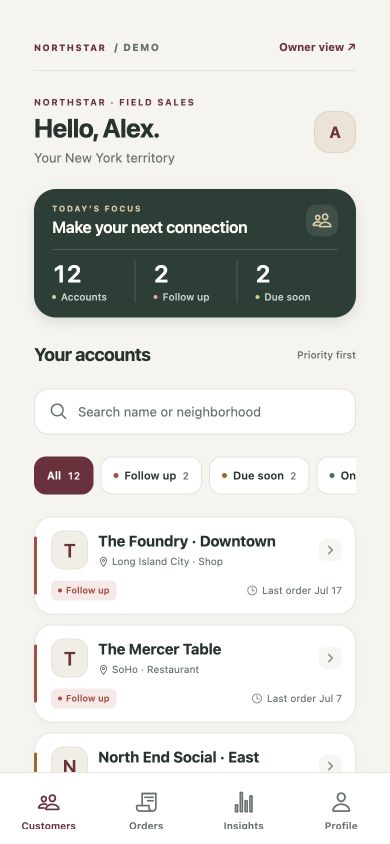
Customers, contact priorities, and orders in a workflow for the sales representative.
I find information for my role and the next contact to follow up.
Owners and sales representatives exploring tools for wine sales activity.
The main colors of the screens shown here: the reasoning behind each choice and the character they give the project.
Headings, summary figures and labels distinguish the overview from details. In lists, the customer name and next action guide the representative’s work.
Real demo screenshots show two areas with sample data. The presentation focuses on panels and lists because sales work is the central content.
These steps describe the project presented here, with the status and limits stated on this page.
The English demo lets visitors switch between the owner and sales representative areas.
Owners explore sales, customers, orders and the team; representatives find customers and priorities.
Cards and orders illustrate the move from general information to an individual customer, always using sample data.