
Date-based search
Search starts with the vehicle pickup and return dates.
APP · VEHICLE RENTALS
A vehicle rental app with date-based search, a vehicle catalog, and requests you can track from your phone.
Colors, imagery and journey ↓An interactive demo with an Italian interface and local sample data. Explore search, the vehicle catalog, and simulated bookings; no real bookings, payments, or requests are made.
Selected features are simulated. This demo is not an operational service or a native app download.
The demo opens in a new tab.
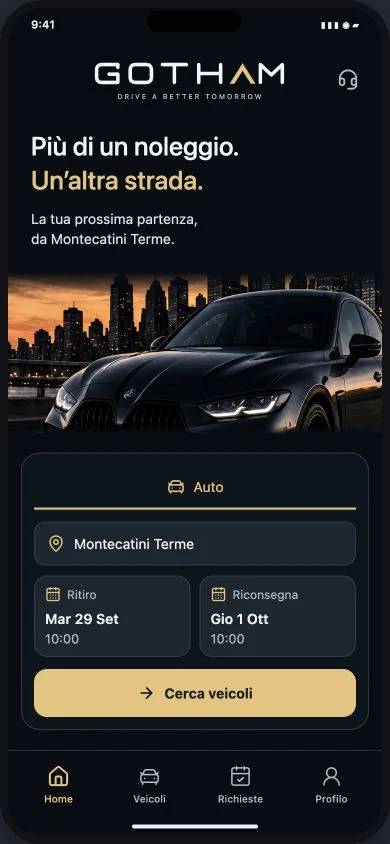
Search starts with the vehicle pickup and return dates.
Browse vehicles as you choose your rental.
A way to submit and track requests from your phone.
I choose a vehicle starting with dates, with the information in order.
People who want to explore a rental journey on their phone.
The main colors of the screens shown here: the reasoning behind each choice and the character they give the project.
Short headings, field labels and vehicle information separate inspiration from practical choices. Dates and demonstration availability stay close to the search.
Vehicle photographs support comparison in the catalog. The phone screenshot shows the project preview and its mobile setting.
These steps describe the project presented here, with the status and limits stated on this page.
The search starts with pickup and return before choosing a vehicle.
The catalog brings together options and the information to review.
The demo shows the simulated booking and request steps. It sends no requests and makes no real bookings or payments.